Elixir interactions in the browser, inside Phoenix LiveView.
Keep your HEEx and handle_event/3. Add use LiveLift to a LiveView or
LiveComponent and mark the handlers you want to run in the browser.
Try the demo · Add to a Phoenix app · How it works
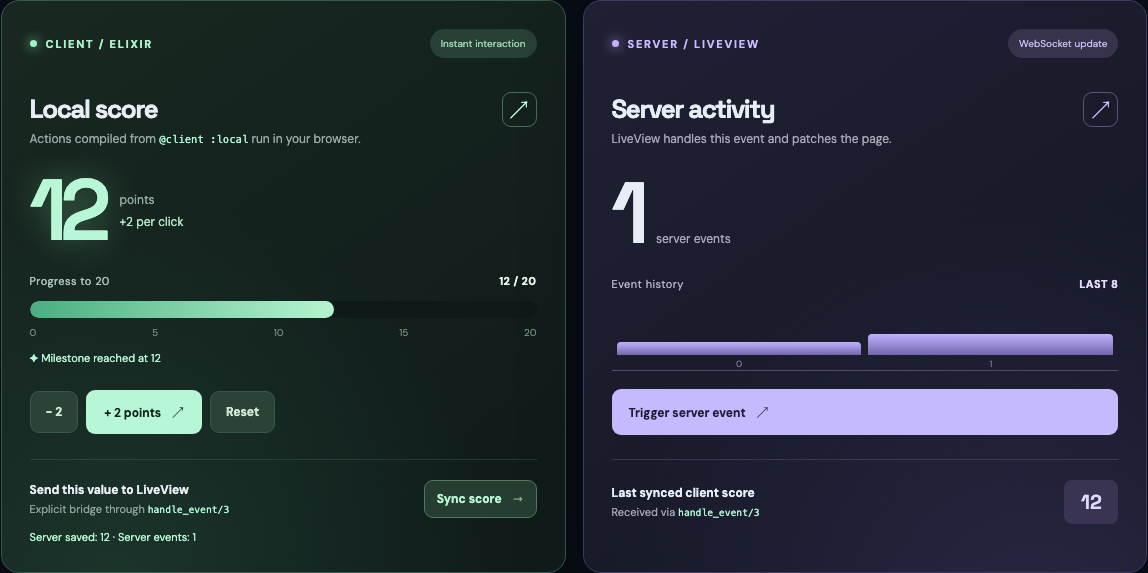
The score changes in the browser. LiveView handles server activity and saves the score when you sync it.
One handler, three ways to run it
| Handler | What happens |
|---|---|
@client :local | The browser updates the UI without sending a LiveView event after the hook mounts. Use it for previews, filters, or sorting. |
@client true | The browser predicts the result immediately. LiveView runs the handler on the server and confirms or corrects the result. |
| Unmarked | LiveView handles the event on the server. Use this for persistence, permissions, or external calls. |
This counter uses ordinary HEEx and a local handler.
defmodule MyAppWeb.Counter do
  use Phoenix.LiveComponent
  use LiveLift

  def render(assigns) do
    ~H"""
    <button type="button" phx-click="increment" phx-target={@myself}>
      Count: {@count}
    </button>
    """
  end

  @client :local
  def handle_event("increment", _params, socket) do
    {:noreply, update(socket, :count, &(&1 + 1))}
  end
end
Mount it from a LiveView with
<.live_component module={MyAppWeb.Counter} id="counter" count={0} />.
See the native component guide for supported handlers.
Try the demo
Run these commands from the repository root.
cd examples/demo
mix setup
mix phx.server
Open the demo at localhost:4000 to try the score and
task list from the screenshot. Visit /local-actions
to compare all three event modes on one page.
See the demo guide
for more examples.
Add LiveLift to a Phoenix app
| I want to… | Start here |
|---|---|
| Create a Phoenix app and see a working counter | New project walkthrough |
| Try LiveLift in an app I already have | Opt in one handler |
| Keep my own JavaScript build or LiveSocket hooks | Manual asset integration |
| Check whether my Elixir and HEEx are supported | Language reference |
LiveLift 0.1.0-rc.1 is an experimental first release candidate for Hex and
targets Phoenix LiveView 1.2.x. The installation guide
covers trying it from a local package and installing from Hex once available.
See the release instructions
for publication and public verification.
Go deeper
- Event flow and state ownership traces a prediction through server confirmation.
- Adoption practices covers state boundaries, parity tests, and measuring user feedback.
- Development inspector shows browser snapshots. Versioned assets covers the optional npm runtime and TypeScript.
- Production limits and the security model explain the tested boundaries.
Development
mix deps.get
npm ci --prefix bench
mix test
npm test --prefix assets